AI Second Brain for Podcasts and YouTube Videos: The Complete Guide (2026)
Learn how to build an AI second brain for podcasts and YouTube videos — pick the right ingestion path, set up retrieval, and never lose a great insight again.
On this page
You've heard the perfect insight somewhere in a podcast or YouTube video — and now it's gone. That's the core problem an AI second brain for podcasts and YouTube videos solves: audio and video are functionally unsearchable without a system built specifically for them.
Generic note apps won't fix this. Notion, Obsidian, and Capacities are excellent for text and PDFs. They were not built to ingest a 90-minute episode and let you query it later. You need an audio/video-native pipeline — one that captures, transcribes, organizes, and lets you ask questions across everything you've watched and listened to.
This guide gives you three things: the right ingestion path for your situation, a tool stack matched to your technical level, and a clear picture of what retrieval actually looks like after content is inside your system.
TL;DR:
- YouTube and podcast ingestion are different workflows — treat them separately or you'll break both
- Transcription errors corrupt your knowledge base; spot-check before you trust any summary
- Pods (topic collections) are the recall layer that makes your second brain compound over time
- Test retrieval before adding volume — one good query beats fifty unsearched episodes
- Free tiers exist, but RAG depth and volume limits make a paid tool worth it quickly
What Is an AI Second Brain for Podcasts and YouTube Videos?
An AI second brain for podcasts and YouTube videos is a system that captures spoken content, converts it into searchable transcripts, and lets you retrieve specific ideas on demand. For podcasts and YouTube, that means turning hours of audio and video into searchable notes, summaries, and linked knowledge you can reuse.
Why generic tools fail here: Notion, Obsidian, and Capacities work well for text-based AI-powered note-taking. But they don't subscribe to an RSS feed, auto-transcribe an episode, or chunk a video by chapter. You'd have to paste transcripts manually — and most people don't.
Audio/video-native tools like Summify and Snipd handle the ingestion layer automatically. Topic-based collections called Pods form the recall layer. In Summify, these Pods grow their context every time you add a new episode. Search a Pod three months from now and you're searching across dozens of sources at once.
Not for you if:
- Your knowledge base is mostly text, books, or PDFs — Notion or Obsidian will serve you fine
- You're not willing to spend 15 minutes on initial setup and a first test query
- You want a read-later tool, not a queryable knowledge system
How to Turn Any Podcast or YouTube Video Into Searchable AI Transcripts and Knowledge
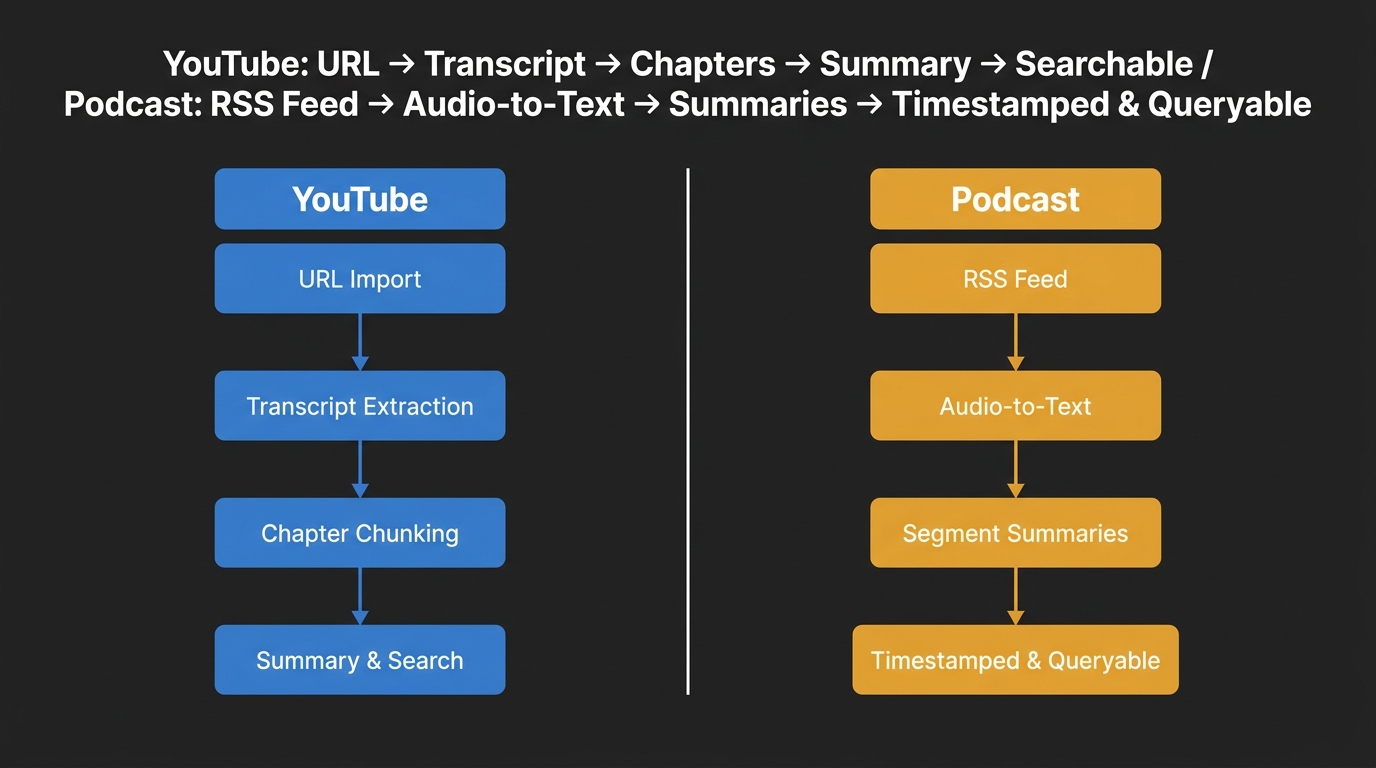
Podcast and YouTube ingestion into an AI knowledge system follow two distinct workflows, each with different inputs, failure points, and retrieval behaviors.
Is it legal to feed podcast or YouTube content into an AI tool for personal use?
Personal summarization and transcript generation for your own use is widely treated as fair use. Redistribution of transcripts or summaries — publishing them publicly or sharing them with others — is a different question and likely infringes copyright. Use these tools for private knowledge, not public content.
YouTube ingestion — step by step:
- Paste a YouTube URL into your tool (Summify accepts channel URLs or single videos)
- The tool extracts the auto-transcript and chunks it by chapter
- AI generates a summary per chapter and a full-episode summary
- Everything lands in your searchable knowledge system, tagged and queryable
Podcast ingestion — step by step:
- Paste an RSS feed URL or upload an audio file directly
- The tool runs audio-to-text transcription (this is where errors enter)
- Your knowledge platform generates episode-level and segment-level summaries
- Episodes are stored with timestamps so you can verify any claim
These are not the same workflow. YouTube has auto-transcripts built in — the AI is refining existing text. Podcast transcription starts from raw audio, which introduces more failure points.
Transcription errors to watch for:
- Proper nouns (guest names, brand names, and technical terms get mangled)
- Speaker crosstalk — two voices overlapping produce garbage text
- Jargon-heavy content (finance, medicine, tech) where a wrong word changes meaning entirely
Mitigation steps:
- Spot-check at least one segment per episode against the source audio
- Flag summaries containing names or numbers — these corrupt your research fastest
- Use timestamps to verify any claim before citing it in your own work
Best AI Tools for Building a Second Brain from Podcasts and YouTube — Including Obsidian
The best AI tool for your second brain depends on one question: is audio and video your primary input, or a secondary one? If audio and video are your primary input, choose an audio/video-native tool like Summify. If they're secondary, Notion or Obsidian with AI add-ons works better.
Obsidian, Notion, and Capacities come up constantly in second-brain discussions, but none of them were designed to ingest audio or video at the source. The key criteria are: how content gets in, how you get answers out, and whether it works without code.
How do you choose the right tool for an AI second brain?
Match the tool to your main content type. For audio/video-heavy users, choose an audio/video-native tool. For text-heavy users, Notion or Obsidian with AI add-ons works well. The key criteria are: how content gets in, how you get answers out, and whether it works without code.
| Tool | Ingestion | Retrieval / RAG | No-Code | Best For |
|---|---|---|---|---|
| Summify | YouTube URL, RSS, audio upload | Chat over Pods via RAG | Yes | Video-heavy users, creators |
| Snipd | Podcast RSS only | Highlight search, Readwise sync | Yes | Podcast-only listeners |
| NotebookLM | Manual transcript upload | Strong RAG on uploads | Yes | One-off deep dives |
| Notion AI | Manual paste or Zapier | AI search on text notes | Yes | Text and PDF knowledge bases |
| Obsidian + plugins | Manual or community plugins | Local graph and search | Moderate | Power users, offline PKM |
| Capacities | Manual | AI search on objects | Yes | Visual, linked thinking |
When Notion or Obsidian wins: Your knowledge is mostly books, articles, and PDFs. You want full control over structure and linking. You don't mind manual steps for occasional video content.
When Summify wins: You consume three or more hours of podcasts or YouTube weekly. You want cross-source search without copy-pasting. You want Pods to compound your knowledge over time — and you want your second brain accessible to AI agents via MCP so your assistant can query your knowledge directly.
Claude Code is a valid developer path for building custom pipelines with Whisper and a vector database. It is not a no-code option — treat it as advanced only if you're comfortable writing and running scripts.
| Choose this if… | Tool |
|---|---|
| YouTube is your main source and you want no-code setup | Summify — connect a channel URL, create a Pod |
| You only listen to podcasts and want Readwise sync | Snipd — RSS import, highlights to Readwise |
| You have one deep-dive research project with existing transcripts | NotebookLM — upload transcripts, chat over them |
| Your knowledge base is text and PDF, audio is rare | Notion AI or Obsidian — skip audio-native tools |
| You want full custom control and can write code | Claude Code or Whisper with a vector DB pipeline |
Using Your Own Podcast or YouTube Backlog as an AI Second Brain for Content Creation Workflow
Content creators own their material and often have bulk volume — typically more episodes than can be reviewed manually. Cross-episode search and retrieval, not just per-episode summaries, become essential. You need a system that lets you mine your own backlog for insights, not just process new content.
How do I search across 100+ podcast episodes using AI without losing context?
Bulk-import your RSS feed or YouTube channel URL into Summify, organize episodes into Pods by topic or season, and use RAG-based chat to query across all episodes at once. The system returns answers with source timestamps so you can verify context before using it anywhere.
Ingestion path for your own backlog:
- Import your full RSS feed or YouTube channel URL in one step
- Batch transcription runs across all episodes — this takes time, not manual effort
- Create Pods by topic, not by episode number or publish date
- Each new episode you publish auto-adds to the right Pod going forward
What a real query looks like:
Example query: "What have I said about audience retention across all my episodes?"
The system surfaces three to five excerpts from different episodes, each with a timestamp and a one-sentence summary. You see your own thinking evolve across time — not just a single clip pulled out of context.
Example: A podcast host mining 80 episodes for content
A podcast host with 80 episodes on B2B sales topics imports her full RSS feed into Summify. She creates three Pods: "Prospecting," "Closing," and "Client Retention." After batch transcription completes, she queries the Closing Pod: "What guest advice about deal timelines have I featured?"
The system returns four excerpts from four different episodes, each with a timestamp citation — for example: "Episode 54, 18:32 — Guest Marcus Webb: 'Most deals stall at proposal because the champion loses internal momentum, not because of price.'"
She uses those excerpts to draft a newsletter, linking back to the original episodes with confirmed timestamps. No manual scrubbing. No re-listening.
This is the thought leadership angle most creators miss. Your backlog is a research source you've already produced. Mining it for newsletter ideas, clip repurposing, or new episode angles costs nothing extra once the Pods are built.
MCP access takes this further. Your Pods become accessible to AI agents. Ask your assistant to draft a newsletter using only what you've actually said — it pulls from your Pod, not from generic training data.
One warning specific to self-produced content: Transcription errors here corrupt your own record. If your name, your guest's name, or a key term is wrong in the transcript, you'll cite yourself incorrectly. Spot-check proper nouns before treating any transcript as authoritative.
Step-by-Step: Build a No-Code AI Second Brain for Knowledge Management from Podcasts and YouTube
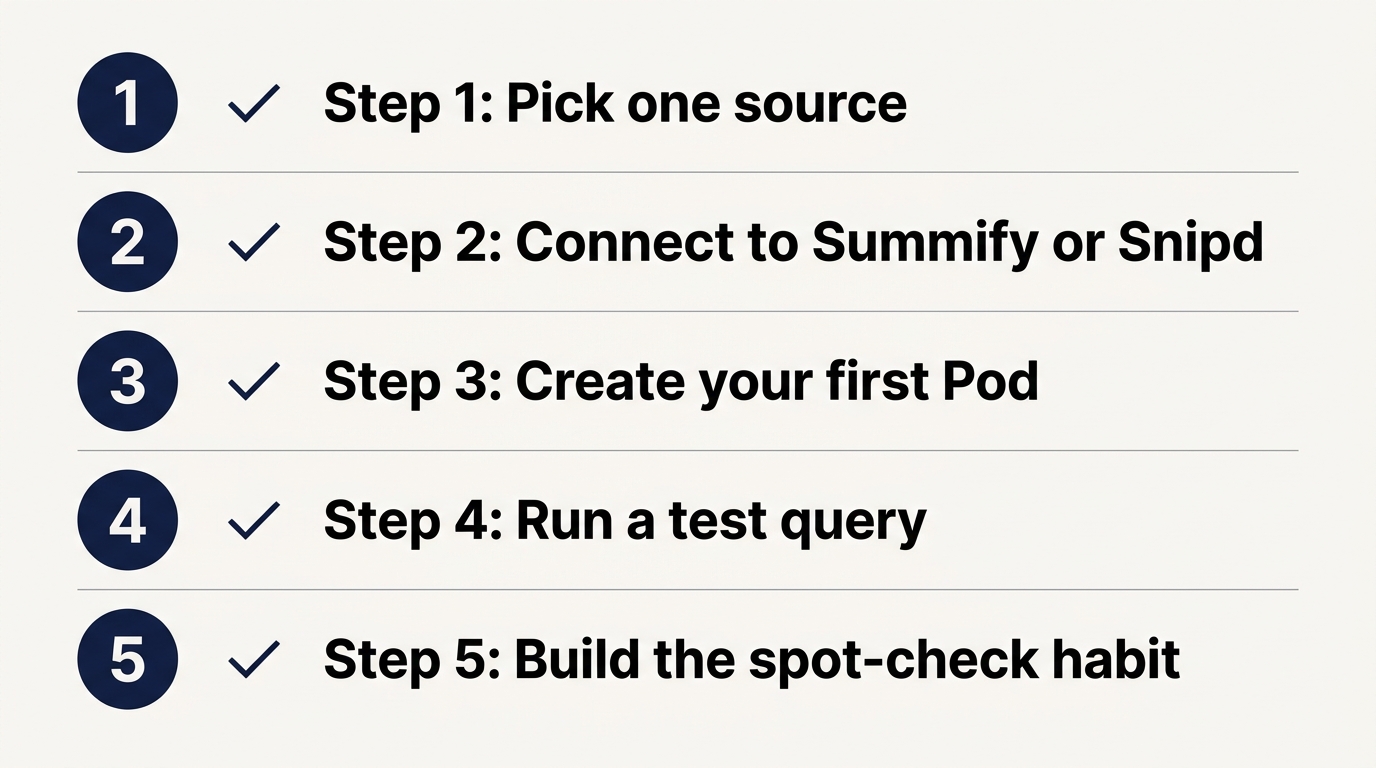
The following five-step setup takes one session from first URL to first working query. The "build a second brain someday" conversation usually stops there. This section is the actual build.
Can I build an AI second brain from YouTube videos without a paid tool?
Yes, with limits. Free tiers on tools like Summify and NotebookLM let you start without paying. Volume caps and RAG depth — how many sources the chat can query at once — are the main constraints. For a first test, free is enough. For a working system across dozens of episodes, a paid tier pays for itself quickly.
-
Pick one starting point. Choose one YouTube channel or one podcast RSS feed. Don't connect ten sources during your first setup session — you won't know if retrieval is working until you test it on a small set.
-
Connect it to Summify (or Snipd for podcast-only). Paste the URL or RSS feed. No-code setup takes under five minutes. Summify handles transcription and summary generation automatically.
-
Create your first Pod. Name it by topic, not by show title. "Marketing Strategy" beats "The Marketing Podcast" because it compounds when you add a second source on the same topic later.
-
Run a test query. Ask a specific question — "What did this episode say about email open rates?" A good answer cites a timestamp and matches something in the audio. A hallucinated answer states something confidently with no timestamp or source. Vague output usually means a transcript quality problem — check there first.
-
Build the spot-check habit. Once per session, pick one AI-generated summary and verify one claim against the source audio. Takes 60 seconds. Saves you from citing a transcript error as fact.
Setup checklist
- Pick one source (YouTube channel URL or podcast RSS feed)
- Connect the source to Summify or Snipd
- Create your first Pod with a topic-based name
- Run at least one specific test query and confirm it returns a timestamp
- Spot-check one summary claim against the source audio
- Decide whether to expand to a second source or stick with one until retrieval is solid
What not to do:
- Don't add 50 shows before running a single test query
- Don't skip step 4 — the query test tells you whether the system is actually working
- Don't trust any summary containing a name or number you haven't verified
Decision Summary
Use this to route yourself to the right action based on your situation:
- If you mainly watch YouTube content → connect one channel URL to Summify, create a topic Pod, and run your first query today
- If you mainly listen to podcasts → start with Snipd for RSS import and Readwise sync, or Summify if you also want cross-source chat
- If you have your own podcast or video backlog → use Summify's bulk import, build Pods by topic, and use RAG chat to mine your own content
- If your knowledge base is mostly text and PDFs → Notion AI or Obsidian is the right fit; don't add audio-native tooling you won't use
- If you want a custom pipeline with full control → Claude Code or a Whisper plus vector DB setup is the advanced path; budget time to build and maintain it
Conclusion
The system pays for itself the first time you find an insight you would have otherwise lost. Pick one podcast or YouTube channel you already follow, create a Pod around its core topic, and run your first query — that's the whole first session.
Written by