AI Powered Productivity Tools: The 2026 Decision Guide for Professionals
Cut through the noise with a filtered guide to AI productivity tools in 2026 — matched to your use case, budget, and privacy needs.


On this page
Most guides to AI productivity tools bury you in 50+ options with no filter for your actual situation. This one does the opposite. It caps the list at 12 tools. It separates individual from team use cases. It treats privacy and stack overlap as first-class concerns.
By the end, you'll know which 2–3 tools match your work context. You'll also see what realistic time savings look like — and how to avoid paying for redundancy.
TL;DR:
- Limit your AI stack to 2–3 tools — more creates setup debt that erases time savings
- Individual professionals and teams need different tools; don't pay for team pricing when you work solo
- Privacy risks are real in legal, HR, and finance contexts — verify compliance before routing sensitive data
- Most AI tools require an internet connection — plan for this if you travel or work in the field
- Free tiers from ChatGPT, Claude, and Otter.ai are functional starting points before committing to free and paid plans
What Makes an AI Productivity Tool Worth Using in 2026?
The time-saving potential of AI productivity tools is real, but conditional. They handle repeatable, text-based tasks — not judgment-dependent work. An AI productivity tool augments or automates a single, discrete task. You stay in control of the output. An AI agent goes further: it executes multi-step workflows on its own. It makes decisions along the way without step-by-step input from you.
The distinction between tools and agents matters. Agents carry higher capability but also higher risk. They require more trust, more setup, and more oversight. For most professionals, tools are the lower-stakes entry point.
What is the difference between an AI productivity tool and an AI agent?
An AI productivity tool handles one task at a time with human review at each step. An AI agent runs sequences of tasks end-to-end, often without pausing for approval. The practical difference: tools fit into your existing workflow; agents change it.
Three criteria separate tools worth adopting from those worth skipping:
- Integration: It connects to software you already use — not a new platform you have to maintain
- Verifiable output: You can check what it produced without specialized knowledge
- No restructuring required: The tool delivers value inside your existing process, not by replacing it
In 2026, automation depth is the real differentiator — not an "ai-powered" label. Many tools add AI branding to basic features. The ones that earn adoption handle a repeatable task faster than you can. They do this without requiring you to change everything around them.
Best for: Anyone evaluating tools for the first time and wanting a clear filter before reading a single product page.
The Best AI Productivity Tools by Category (2026)
ChatGPT, Claude, Otter.ai, and Perplexity each deliver real output on their free tier — not just a trial window. Paid tiers add context length, team features, and higher usage limits.
Which AI productivity tools offer the best free plans in 2026?
ChatGPT and Claude both offer free tiers for writing, research, and summarization — no credit card needed. Otter.ai's free plan covers solo meeting transcription with a monthly minute cap. Perplexity provides ai-powered research with source citations at no cost.
Here's how tools break down by category:
Writing & Content Creation
- ChatGPT — Free tier available. Versatile for drafts, summaries, and research. Strong starting point for most roles.
- Claude — Free tier available. Better than ChatGPT for long documents and detailed editing passes.
- Jasper — Paid only. Team-focused with brand voice controls. Best for content creation teams producing at volume.
Meeting Assistant
- Otter.ai — Free tier with monthly minute limits. Transcribes and summarizes meetings. ⚠️ Audio data is stored on third-party servers — flag for sensitive calls.
- Reclaim AI — Paid. Automates calendar blocking and scheduling around meetings and deep work windows.
Task Automation
- Zapier Agents — Limited free tier. Connects apps and routes tasks between them. ⚠️ Data passes through Zapier's servers — review before connecting internal systems.
Project Management
- ClickUp AI — Paid add-on to ClickUp. Summarizes tasks and drafts project updates. Supports knowledge management across team projects.
- Notion AI — Paid add-on to Notion. Handles writing and project notes inside one workspace.
⚠️ Privacy flag: Any tool processing confidential content in legal, HR, or finance contexts needs verified SOC 2 or GDPR compliance before use. Confirm the vendor's data retention policy — specifically whether your inputs are used for model training and whether deletion requests are honored.
Best for: Professionals who want a curated starting list across all four core use cases without wading through 50-tool comparisons.
Best AI Tools for Individual Professionals vs. Teams
Individual professionals and teams have different output, oversight, and collaboration needs. For remote and hybrid teams, Microsoft Copilot and Otter.ai Teams are the strongest combination in 2026. Copilot integrates directly with Microsoft 365 and offers enterprise-grade data controls. Otter.ai Teams enables shared transcripts and async meeting review across the group.
What AI productivity tools are best for remote or hybrid teams?
Remote and hybrid teams need tools built for shared output and async communication. The choice between individual and team tools comes down to three questions: Do you need shared output? Do you need admin controls? Or do you just need personal automation?
Copilot handles documents, email, and meetings inside M365. Otter.ai Teams captures and distributes meeting notes without requiring everyone to attend live. A meeting assistant is the fastest place for teams to start — it produces shared, verifiable output from day one.
Individual professionals
- ChatGPT or Claude — For writing and research. Low cost, no seat minimums, works solo.
- Otter.ai — For solo meeting notes. The free tier covers most individual use cases.
- Reclaim AI — For scheduling and calendar automation. Blocks focus time around your actual schedule.
Teams
- Microsoft Copilot — For M365 environments. Built-in admin controls and data governance make it the safest team-wide choice.
- Otter.ai Teams — For shared transcripts and meeting summaries across async workflows.
- ClickUp AI or Notion AI — For shared project management and knowledge management. Keeps notes, tasks, and drafts in one place.
⚠️ Team tools that process meeting audio or shared documents carry higher data exposure than solo tools. Verify admin controls and data residency settings before rolling out to a team.
Solo professionals should not pay for team seat pricing unless they need shared output or admin controls. The individual tiers of ChatGPT, Claude, and Reclaim AI cover most solo workflows at a fraction of the cost.
Best for: Team leads deciding between individual licenses and team plans, and solo professionals who want to avoid overpaying.
How to Build an AI Productivity Stack Without Overlap
Building an AI productivity stack without overlap means giving each tool a distinct function. Most professionals who end up with redundant tools skipped this step. They added tools reactively rather than mapping gaps first.
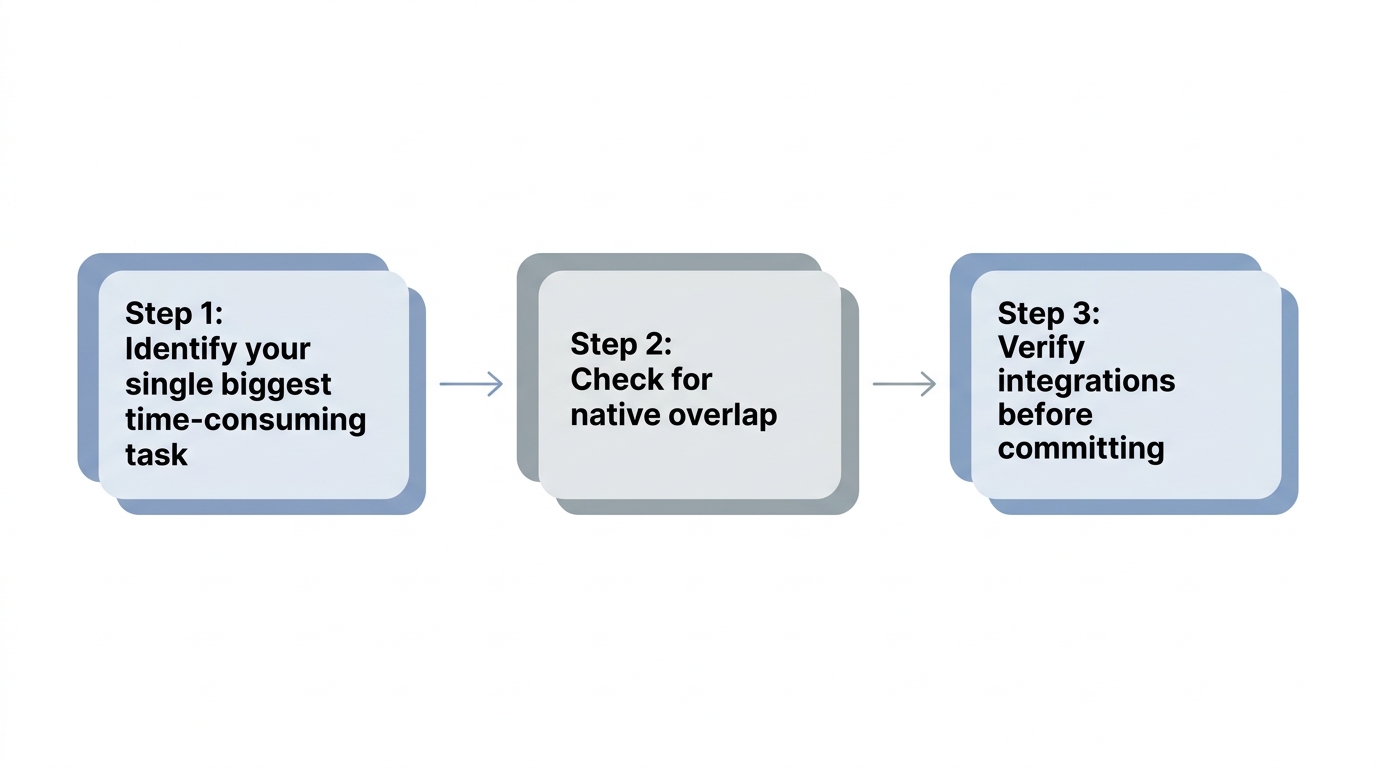
Build your stack in three steps:
- Identify your single biggest time-consuming task. Writing, meeting notes, or task routing — pick one. Choose one tool for that problem only.
- Check for native overlap. Notion AI handles both writing and project notes. Adding ChatGPT on top for the same use case wastes budget and attention.
- Verify integrations before committing. Confirm that Otter.ai exports to Notion, or that Zapier connects to ClickUp, before paying for either.
Which AI productivity tools work offline or without an internet connection?
Start with one hard constraint: connectivity. No mainstream AI productivity tool runs fully offline in 2026. Every tool in this guide — ChatGPT, Claude, Otter.ai, Reclaim AI, and Copilot — needs a live internet connection to function. If your role involves fieldwork, frequent travel, or restricted networks, treat connectivity as a hard limit before evaluating any tool.
Most professionals need no more than three tools:
Which stack is right for you?
| If your situation is… | Use this stack |
|---|---|
| Solo knowledge worker, writing-heavy | Claude (free tier) + Reclaim AI |
| Solo professional, meeting-heavy | Otter.ai + ChatGPT for follow-up drafts |
| Team on M365 | Copilot + Otter.ai Teams |
| Team using Notion or ClickUp | Notion AI or ClickUp AI + Otter.ai Teams |
Add Perplexity as a lightweight research layer if your role involves frequent source-checking. It avoids overlap with writing tools because it cites sources rather than generating original drafts. It also supports knowledge management without duplicating your ai chatbot.
Stack setup takes weeks of habit formation — not hours. Adopt one tool at a time. Give it two full weeks before adding another. Rushing the process produces a stack nobody uses.
Best for: Professionals who already use one AI tool and want to add a second without creating redundant subscriptions.
How Much Time Can AI Productivity Tools Actually Save You?
Not all ai productivity tools earn their place. The ones that do automate specific, repeatable tasks. They handle transcription, drafting, summarization, and routing. They do not manage relationships, exercise judgment on ambiguous decisions, or handle confidential tasks that require discretion.
Can AI productivity tools replace a virtual assistant?
No. AI tools automate specific, repeatable tasks. A virtual assistant handles judgment-dependent work, relationship management, and tasks requiring discretion. The two are complementary, not interchangeable.
Time savings are real — but conditional. Here's what consistent users actually report:
- Meeting assistants: These produce the most consistent time savings for professionals with high meeting volume. Individual results vary significantly by workflow.
- Writing tools: Content creation roles see the highest gains. Admin-heavy roles see less impact.
- Research tools: Tools like Perplexity create value by enabling synthesis tasks — competitive scans, source checks — that previously went undone due to time constraints. They speed up existing research too, but the bigger win is the work that now gets done at all.
Stanford HAI's 2026 AI Index Report tracks AI adoption trends. The report found that AI adoption reached 172 billion annually by early 2026, with median value per user tripling since 2025. That signals professionals are extracting compounding returns as tools mature.
⚠️ Legal, HR, and finance professionals should not route confidential documents through general-purpose AI tools without reviewing the vendor's data retention and deletion policy. Working smarter with AI requires knowing where your data goes.
Decision Summary
- Solo professional: Start with ChatGPT or Claude for writing and Otter.ai for meetings — both have functional free and paid plans that cost nothing to test at the free tier.
- Team on M365: Deploy Copilot with Otter.ai Teams for async coverage across the group.
- Not sure where to start: Pick the tool that matches your single biggest time-consuming task and run it for two weeks before deciding anything else.
Next step: Identify the one workflow task costing you the most time this week, pick the matching tool from the category list above, and commit to a two-week trial before expanding your stack.
Best for: Professionals who want honest, conditional time-saving expectations before committing budget.
Conclusion

The best AI productivity tools are not the most feature-rich ones. They're the ones matched to your specific use case, connected to software you already use, and limited to 2–3 so setup overhead doesn't erase the time you save.
Choose the single workflow task costing you the most time this week. Pick one tool from the relevant category above. Commit to a two-week trial before adding anything else to your stack.
Written by